Build 42 Error Fixes — console.txt Triage for 42.20
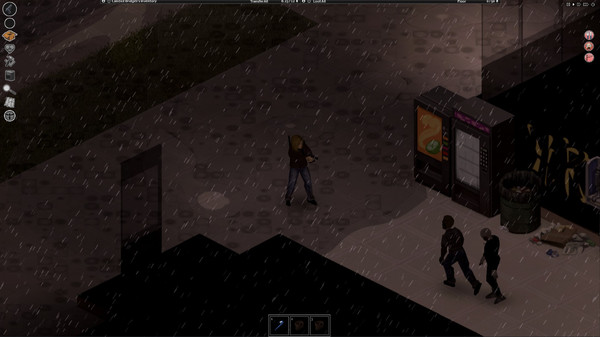
"Sorry, an unexpected error occurred" is the single most-reported failure across Build 42's road to stable — it dominated the unstable forums from 42.0 through 42.18 and still shows up on 42.20, usually because of mods. This guide branches by symptom instead of guessing: Lua errors, Workshop mismatches, startup black screens, multiplayer connection failures, lag, and corrupted saves each need different fixes. Sources: the pzfans.com Build 42 troubleshooting hub (42.19), Steam support discussions, and The Indie Stone forum threads, checked 2026-08-04.
Before any fix: back up and locate your files
Quit the game and any server process first, then copy the failing save (or the whole user-data folder) to a dated backup. Never delete the user-data folder wholesale as a first step.
| File | Windows | macOS / Linux |
|---|---|---|
| Main log | %UserProfile%\Zomboid\console.txt |
~/Zomboid/console.txt |
| Save folder | %UserProfile%\Zomboid\Saves\ |
~/Zomboid/Saves/ |
| Crash history | %UserProfile%\Zomboid\Logs\ |
~/Zomboid/Logs/ |
| Support zip | %UserProfile%\Zomboid\logs.zip |
~/Zomboid/logs.zip |
| Server configs | %UserProfile%\Zomboid\Server\ |
~/Zomboid/Server/ |
How to read console.txt
Reproduce the problem once, quit, then open the fresh console.txt and find the first ERROR, Exception, Caused by, or stack traceback line — everything after the first real error is usually noise. Note whether the trace names a mod folder path or a Workshop numeric ID, plus your platform, single-player vs multiplayer, and exact game build (e.g. 42.20.0). The red in-game error counter ("Error N") is just a count of recorded Lua exceptions: many are non-fatal, but a rising count naming a mod path needs isolation.
Fixing "unexpected error occurred"
The fix ladder, in order of how often each step actually works:
- Isolate mods. Load → More → Mods, disable the suspect from your console trace, retest. Multiple suspects? Binary search — disable half the list per round after a full backup.
- Verify integrity of game files in Steam (right-click → Properties → Installed Files).
- Clean reinstall as last resort: uninstall, then delete leftover files in
Steam\steamapps\common\ProjectZomboid, reinstall. This was the confirmed resolution path for vanilla B42.18 crash threads when mods were already ruled out. - Still crashing vanilla? The Indie Stone support staff ask for your
logs.zip— upload it and link it in your bug report rather than reinstalling repeatedly.
Symptom triage table
| What you see | Likely cause | First move |
|---|---|---|
| Red corner "Error N", Lua stack | Mod/script exception | Mod isolation above |
| "Workshop item version is different than the server's" | Client/server Workshop mismatch | Restart the outdated side |
| "Error subscribing/downloading workshop item" | Workshop download failure | Check item exists, disk space |
| Black screen / instant exit at launch | Startup/display/install | GPU drivers, verify files |
| Cannot connect, timeout, p2p errors | Network/ports/branch mismatch | Read both consoles, check ports |
| Low FPS, hitching, vehicle "black wall" | Performance/streaming load | Lower graphics, disable heavy mods |
OutOfMemory, Java heap errors |
Memory pressure | Only then touch heap flags |
| "World Version is zero", corrupt save | Save integrity/version | Restore from backup |
| Kicked for moving "too fast" | KickFastPlayers server option |
Admin trade-off, may be buggy |
Workshop mismatch and subscription errors
For version mismatches, follow the game's own hint first: either the server is outdated (restart it after Workshop updates finish) or your client is (fully exit Steam, relaunch, wait for Workshop downloads, rejoin once). Confirm both sides run the same Steam branch — stable 42.20 vs unstable — since a branch mismatch looks exactly like a mod error. Mass unsubscribe-everything and reinstalling are not first responses. For subscribe/download failures: confirm the item still exists on the Workshop, check disk space, and remember that removed mods must be disabled on the save itself — unsubscribing doesn't rewrite old mods.txt requirements.
Startup crashes and black screens
Update GPU drivers from the vendor (not third-party packs), disable the Steam Overlay if it crashes at launch, verify files, and boot once with all save mods disabled to separate install problems from save/mod problems. Window off-screen or tiny on a high-DPI monitor? Set a fixed resolution, try windowed/borderless, or override high-DPI scaling on the executable in Windows compatibility properties. Use the 64-bit client; don't fall back to 32-bit batch-file hacks, and don't paste Windows .bat steps onto macOS.
Multiplayer connection failures
Read both client and host console.txt for bind failures and timeouts before touching routers. Verify the server reached ready state and that both sides share the same branch/build. Check the host config for real listen ports — DefaultPort (join UI commonly starts at 16261) and UDPPort, plus any Steam UDP ports — and forward exactly those on the host firewall/router. "Port already in use" means a duplicate server process; stop it instead of launching another instance.
Corrupt saves and "World Version is zero"
| Message | Safe next step |
|---|---|
| "Savefile appears to be corrupt. World Version is zero." | Restore a full backup from before the failure |
Can't read world version from map_ver.bin |
Restore from backup |
| Save from a newer/older game version | Match the Steam branch/build, or start fresh after backup |
| Missing map/mod content | Reinstall the named map/mod — loading without required mods can damage saves |
Do not transplant map_ver.bin or players.db between worlds — live saves bind those files plus vehicle DBs and chunk files to one world, mod set, and version. Rolling back to yesterday's full folder copy beats surgical file swaps every time.
Lag and OutOfMemory
Lower lighting, water, 3D corpses, and VSync first; temporarily disable heavy map/UI/texture mods — most "lag" is script or streaming load, not heap size. On servers, dense towns at high vehicle speed overload chunk streaming: lower speed limits. Touch memory flags only if the log shows real OutOfMemory errors: stock 64-bit installs often launch around -Xms1800m/-Xmx2048m, keep -Xms ≤ -Xmx, and raise in steps of a few hundred MB. Setting -Xmx above available RAM increases swapping and makes lag worse.
Verified on 42.20 · Last checked 2026-08-04
File paths, triage branches, and safe-recovery rules come from the pzfans.com troubleshooting hub tagged for Build 42.19; error prevalence and clean-reinstall resolutions from Steam discussions (B42.18 vanilla crash thread) and The Indie Stone forums. Exact default heap values vary by install — confirm yours before editing.
More Guides
![Project Zomboid Build 42 Animals Guide — Livestock, Milk, Eggs, Breeding [2026]](/img/pz/ss-3.jpg)
![Project Zomboid Build 42 Basements & Bunkers Guide — Underground Loot [2026]](/img/pz/ss-4.jpg)
![Project Zomboid Build 42 Blacksmithing Guide — Forges, Anvils & Progression [2026]](/img/pz/ss-0.jpg)
![Project Zomboid Build 42 Changes — Everything New vs Build 41 [2026]](/img/pz/ss-1.jpg)
![Project Zomboid Build 42 Fishing Guide — Fish Table, Spots, Bait [2026]](/img/pz/ss-2.jpg)